14 de marzo de 2026 • Lorem • 3 min de lectura
Warcraft 3 World Editor Download & Map Editor Guide (2026)
Warcraft 3 World Editor Download & Map Editor Guide (2026)
The Warcraft 3 World Editor is the official map editor used to create custom maps for Warcraft III.
Many of the most famous custom maps — including RPG maps, Tower Defense maps, and Hero Arena maps — were built using this editor.
If you have ever wondered how people create custom maps, this guide will walk you through the basics of the Warcraft 3 map editor and how to start building your own map.
What Is the Warcraft 3 World Editor?
The World Editor is the built-in map editor included with Warcraft III.
It allows players to create their own maps, custom game modes, triggers, and terrain.
With the editor you can:
- Design terrain and environments
- Place units, buildings, and items
- Create custom triggers and events
- Build RPG systems and custom abilities
- Publish your map for others to download
Many classic community maps were made using this tool.
How to Open the Warcraft 3 World Editor
If you already have Warcraft III installed, the World Editor is included by default.
Steps
- Install Warcraft III.
- Open the Warcraft III installation folder.
- Find and launch World Editor.exe.
On newer versions such as Reforged, the editor can also be launched directly from the Battle.net installation directory.
Basic Overview of the Editor
When you open the World Editor, you will see several main panels.
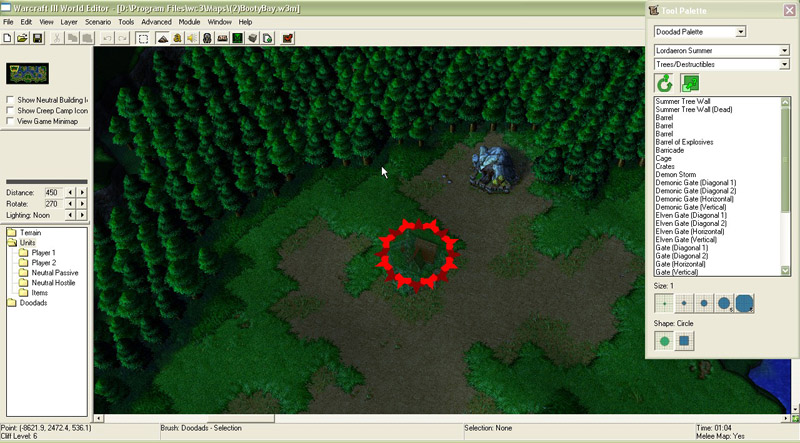
Terrain Editor
Used to shape the map landscape.
You can create:
- Mountains
- Rivers
- Forest areas
- Villages or cities
Object Editor
This is where you modify units, abilities, items, and upgrades.
Many custom maps rely heavily on the Object Editor to create unique gameplay.
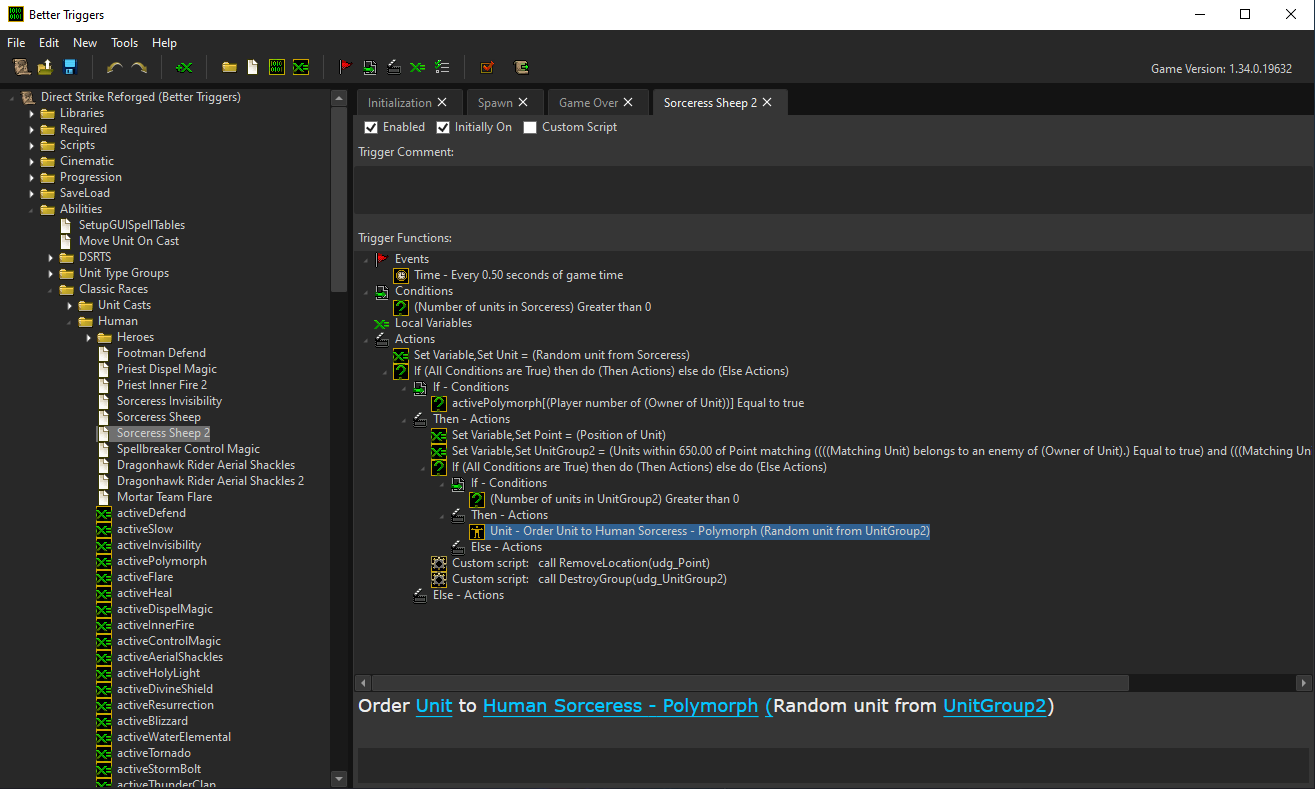
Trigger Editor
The Trigger Editor controls game logic.
Examples of triggers:
- Start events
- Victory conditions
- Custom abilities
- RPG systems
How to Create Your First Warcraft 3 Map
Creating a simple map only takes a few steps.
1. Create a New Map
Open the World Editor and select: File → New Map
Choose the map size and tileset.
2. Design the Terrain
Use the Terrain Palette to shape the map.
Typical steps:
- Add cliffs and elevation
- Place water areas
- Paint terrain textures
3. Place Units and Buildings
Open the Unit Palette and place units on the map.
You can add:
- Neutral monsters
- Player bases
- Towns and villages
4. Add Basic Triggers
Open the Trigger Editor and create simple rules.
Example trigger: Event: Unit enters region Action: Display message to player
Triggers are what turn a map into a real game mode.
Download Custom Warcraft 3 Maps
If you want to study how experienced creators build maps, downloading existing maps is one of the best ways to learn.
You can explore hundreds of custom maps here:
👉 Browse Warcraft 3 maps
maps
Popular map types include:
- Tower Defense
- RPG
- Survival
- Hero Arena
- Strategy maps
Studying these maps in the World Editor can help you understand advanced triggers and systems.
Tips for Beginner Map Makers
Creating a good Warcraft 3 map takes time, but a few tips can help beginners.
Start simple
Build a small map first before trying complex systems.
Learn triggers gradually
Triggers are powerful but can become complicated quickly.
Study existing maps
Opening community maps in the World Editor is one of the best ways to learn.
Focus on gameplay
Many successful custom maps are simple but fun to play.
Final Thoughts
The Warcraft 3 World Editor remains one of the most powerful map editors ever released for a strategy game.
Even years after release, the community is still creating new custom maps and game modes.
If you are interested in game design or modding, learning the World Editor is a great place to start.
You can also explore our full collection of Warcraft 3 custom maps to see what the community has created.